What it is
A scan checks one repository for secrets, vulnerable dependencies, risky code, infrastructure and container settings, licenses and mistakes common in vibe-coded apps. See Code checks.
Who gets it
Every plan scans its connected repositories in the cloud on each push and pull request. Cloud and Cloud Plus also scan once a day. Free shows the grade and counts; Cloud and Cloud Plus show every finding in full.
How to use it
Scans start by themselves:
- On every push to a connected repository.
- On every pull request, with a check on GitHub (see GitHub checks).
- Once a day on the default branch (Cloud and Cloud Plus).
- On Free and Cloud, pushes, pull requests and Scan now count toward 15 scans per repository a month on Cloud and 5 on Free. The daily automatic scan never counts. Cloud Plus has no limit. See Choosing a plan.
To scan right now:
- Go to Repositories.
- On the repository's card, click Scan now. The button shows Starting…, then Scan queued.
You can also click Scan now at the top of a repository's own page. The page refreshes a few seconds later.
What you'll see
Each repository card shows a status:
| Status | Meaning |
|---|---|
| Not scanned | No scan has finished yet. |
| Blocked | The latest scan found at least one critical or high finding. |
| Warnings | Only medium or low findings. |
| Passing | No open findings. |
The repository page shows a Latest scan card with Status, Trigger (manual, push or pull request, or scheduled), Findings, New and When. The Scans tab lists every scan; click one to see what it found.
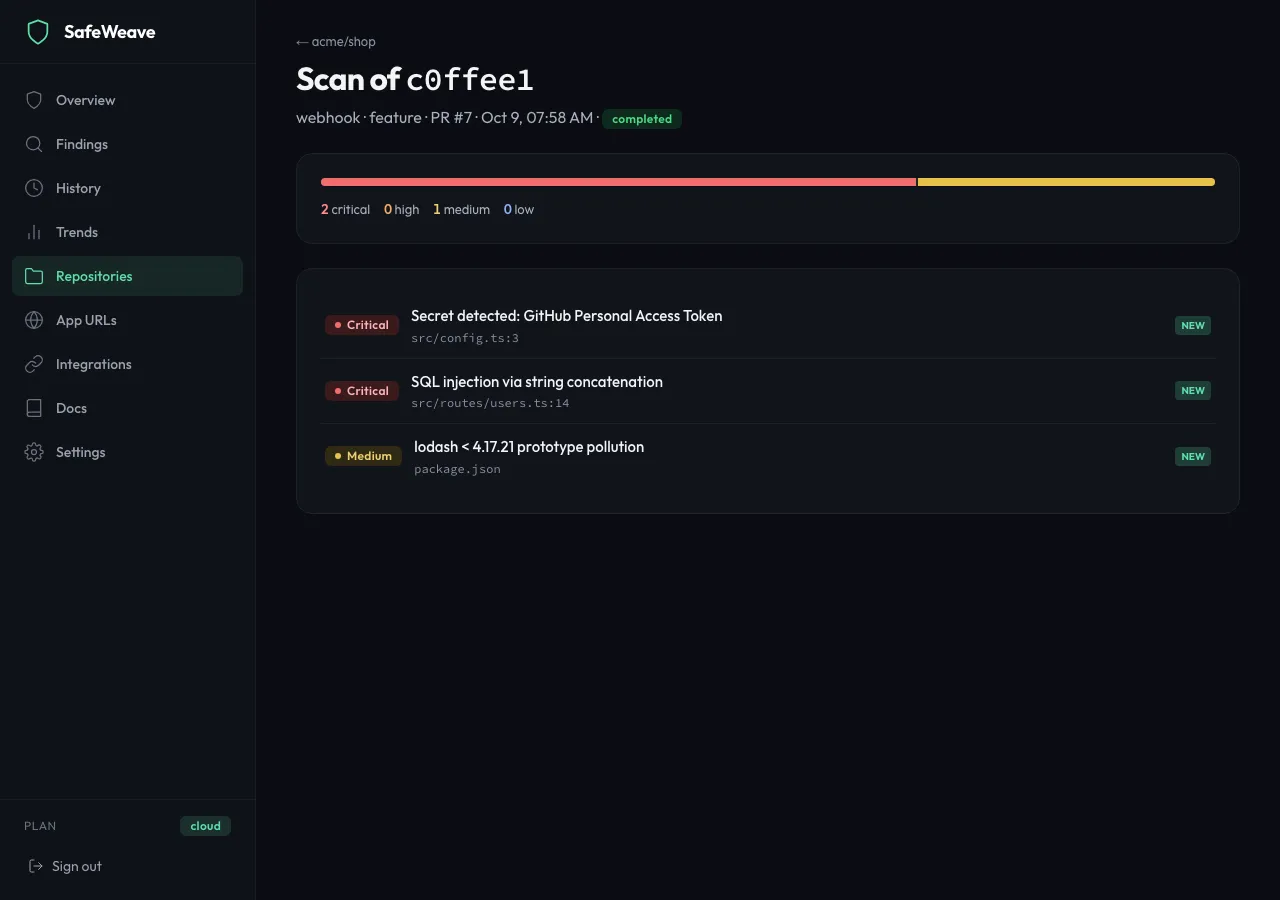
Every scan also appears on the History page. See Reading your results.
Limits
- Most scans finish within a few minutes; large repositories take longer.
- A scan reads your code but never changes it.
If something goes wrong
- "Could not start a scan" or "Failed to trigger scan": wait a minute and try again.
- The Latest scan card shows a failure: the scan is retried at the next scheduled run. You can also click Scan now.
- Pushes don't start scans: check that GitHub shows Connected under Integrations.