What it is
Every scan gives each repository a security score from 0 to 100 and a grade from A to F, and lists its findings: the problems it found.
Who gets it
Every plan sees grades, scores and finding counts. Cloud and Cloud Plus also see each finding's details, the Findings page list and filters.
How to use it
Your score and grade
The score starts at 100 and goes down for each open finding:
| Severity | Points off |
|---|---|
| Critical | 25 |
| High | 15 |
| Medium | 5 |
| Low | 0 |
| Grade | Score |
|---|---|
| A | 90 and above |
| B | 80 to 89 |
| C | 70 to 79 |
| D | 60 to 69 |
| F | below 60 |
The Overview shows one score across your repositories. App URLs are graded on their own and don't change it. See App URLs.
Severities
- Critical: an attacker can likely use this now, for example a leaked secret key or a database anyone can read. Fix today.
- High: a serious weakness. Fix before your next release.
- Medium: worth fixing; less likely to be used on its own.
- Low: good practice; doesn't lower your score.
New, open, resolved
- New: first seen in the latest scan. Marked NEW.
- Open: still present.
- Resolved: no longer found. SafeWeave marks it resolved after the next scan.
- Reopened: came back after being resolved.
- False positive: you dismissed it. See Fixing issues.
On a repository page, switch between Open, Resolved, Reopened and False positives.
The Findings page
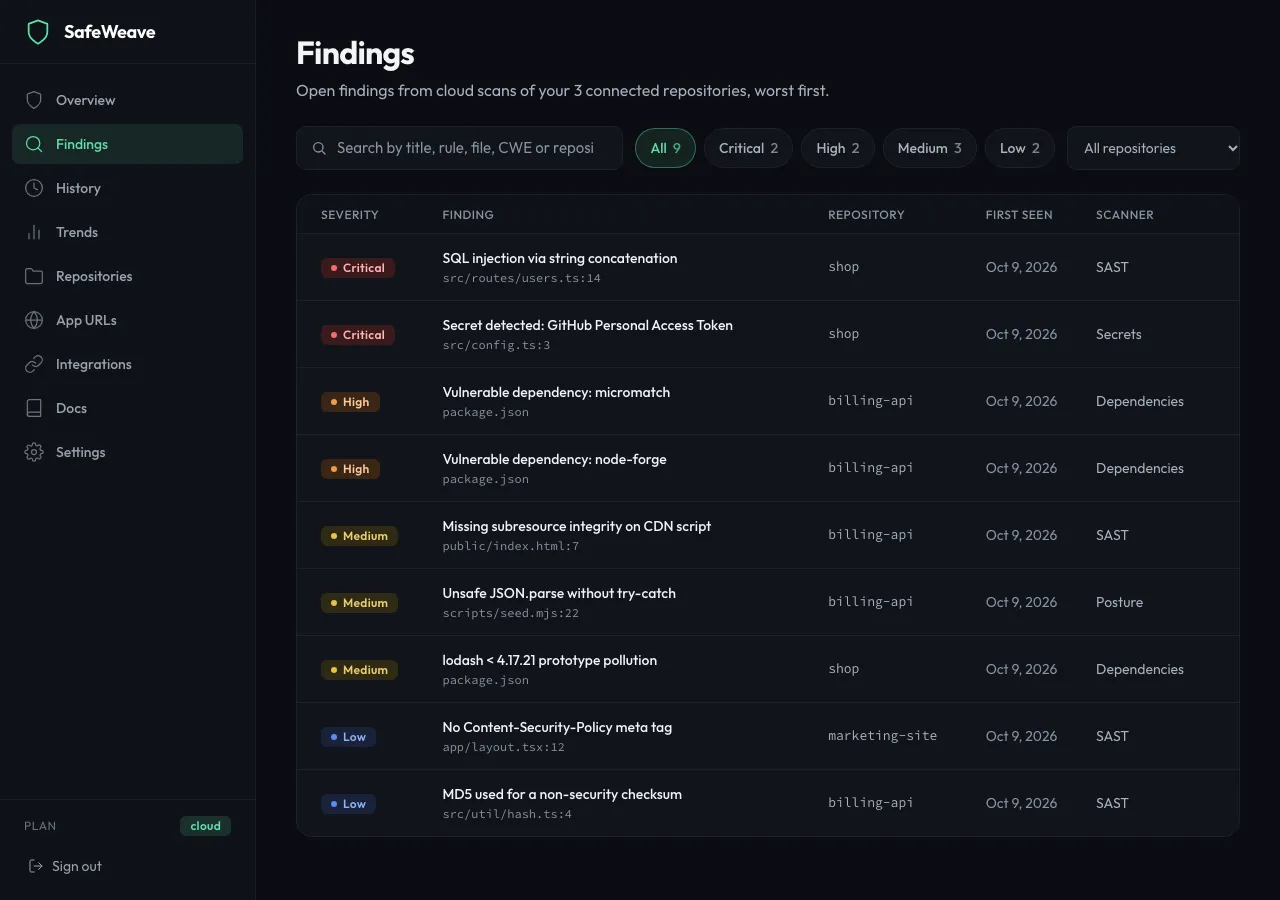
Click Findings in the sidebar to see every open finding across your repositories, worst first.
- Search by title, rule, file, CWE or repository.
- Click Critical, High, Medium or Low to filter by severity.
- Choose a repository in All repositories.
- Click a row to open the finding.
History and Trends
- History lists every scan, newest first, grouped by day. Click View scan → to open one, and Load older scans to see more.
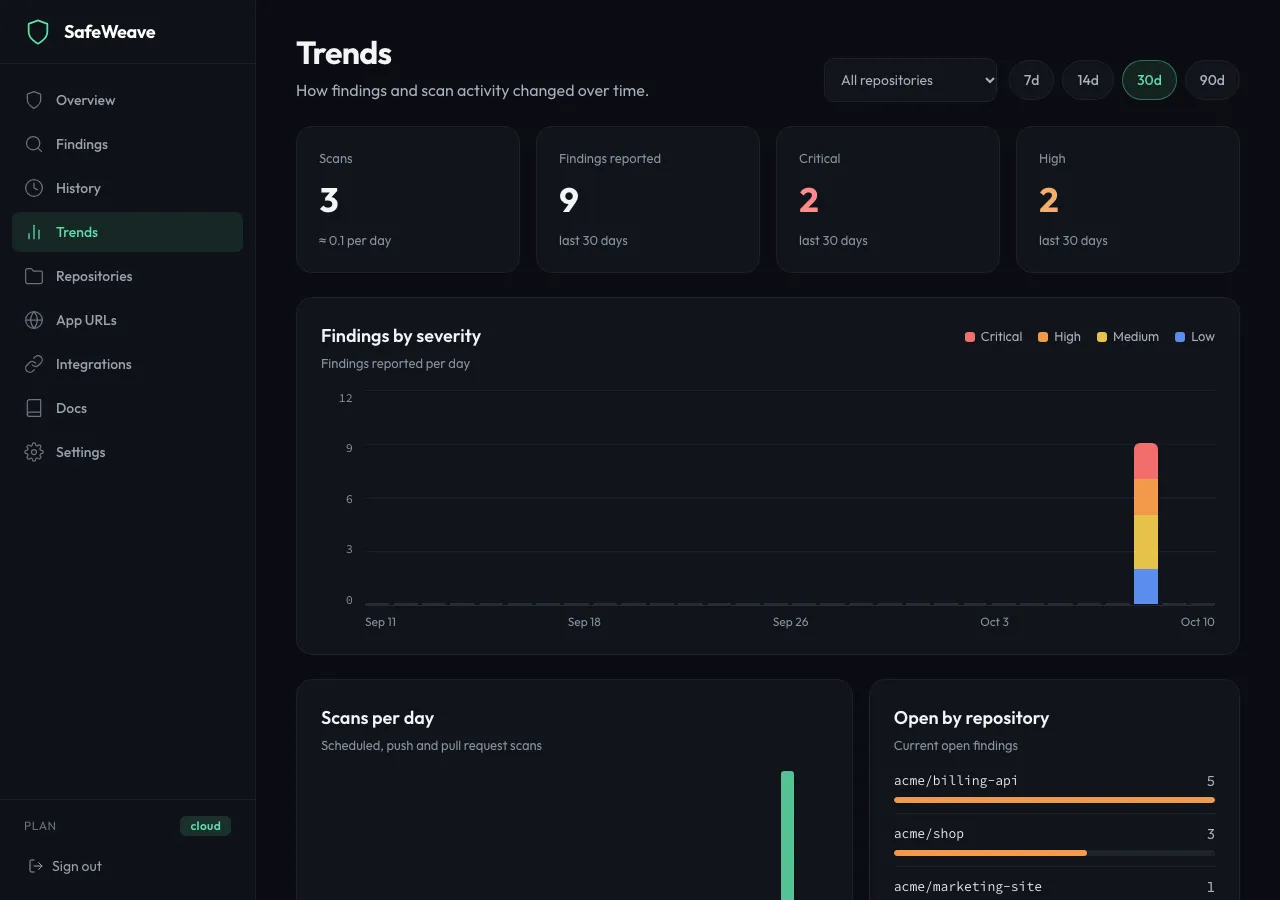
- Trends shows how findings and scans changed over 7d, 14d, 30d or 90d, for all repositories or one.
What you'll see
The Overview sums it up: Security score, Open findings, Scans in the last 7 days, and what's connected. Fix first lists the critical and high findings to start with.
Limits
- On Free, the Findings page and repository pages show counts per severity. Click Start 14-day free trial to see the list.
If something goes wrong
- "No open findings" right after connecting: the repository hasn't been scanned yet. Click Scan now on Repositories.
- "Not enough scan history yet" on a repository's trend chart: trends appear after a few scans.
- "Could not load findings.": reload the page.